List Events
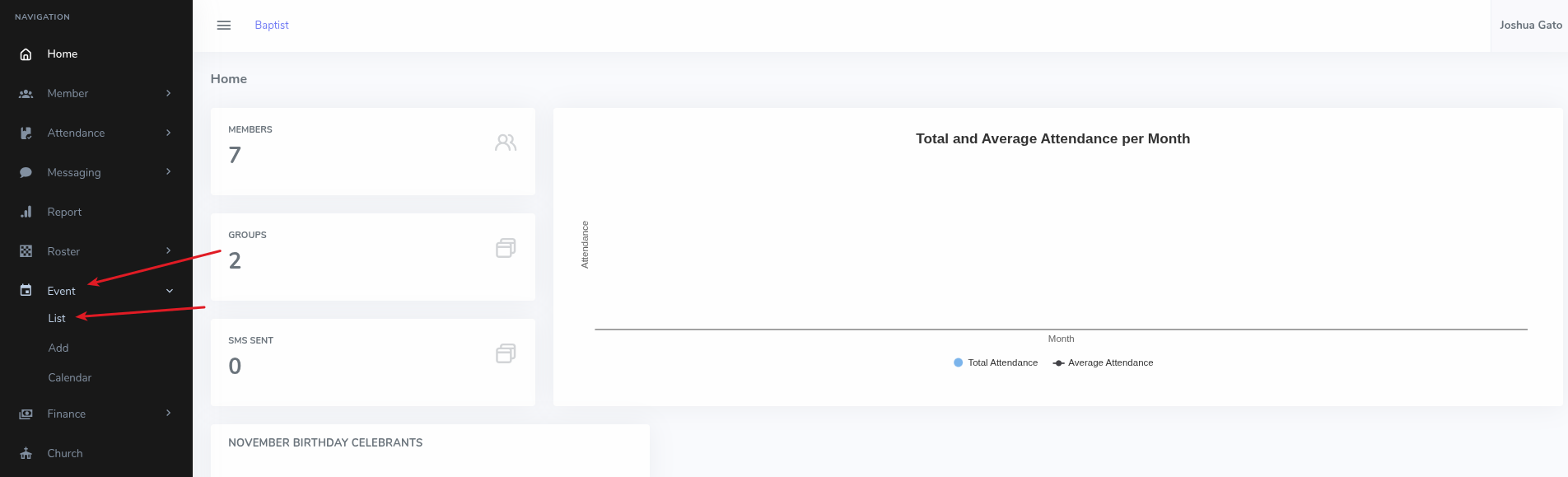
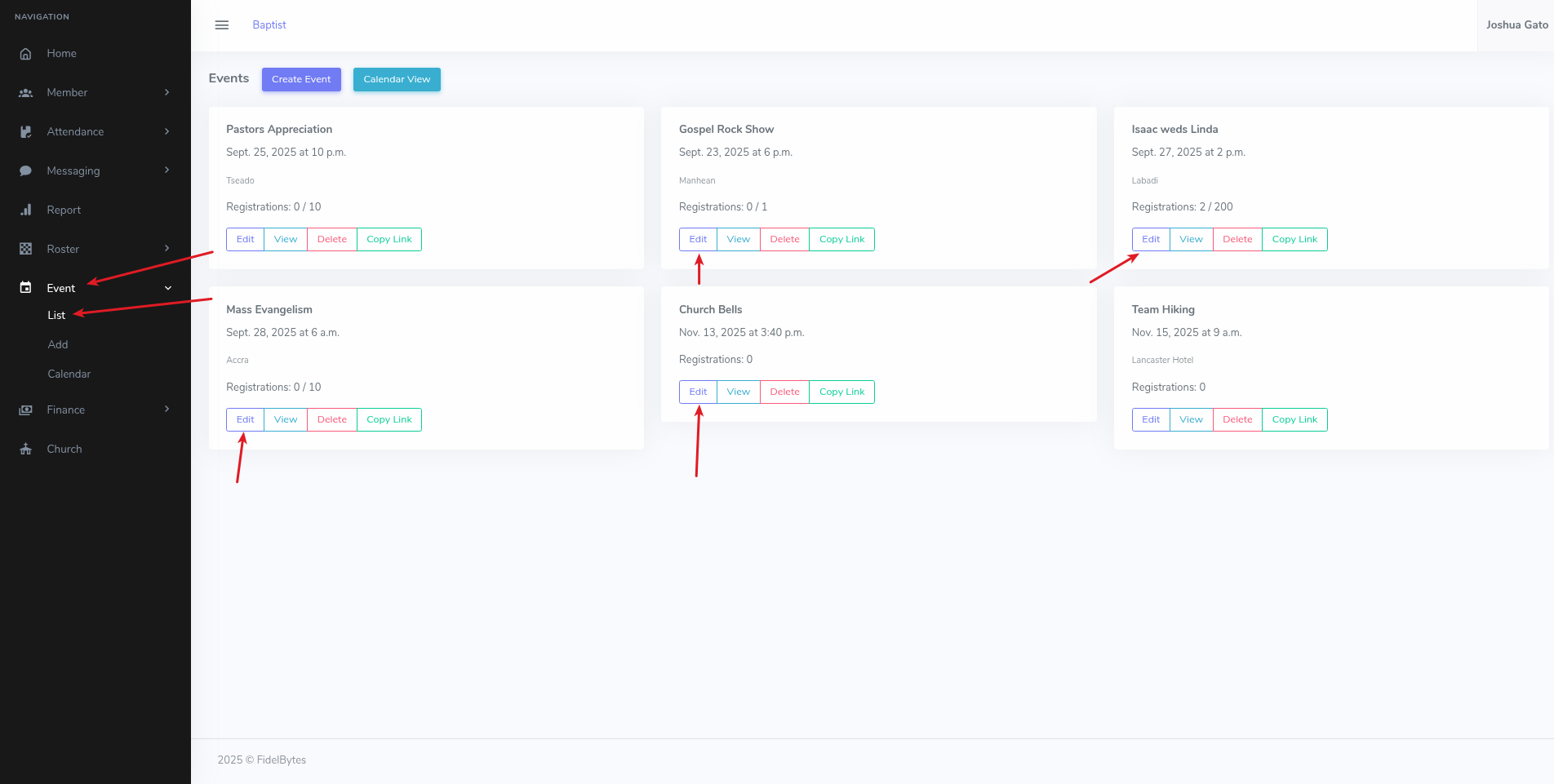
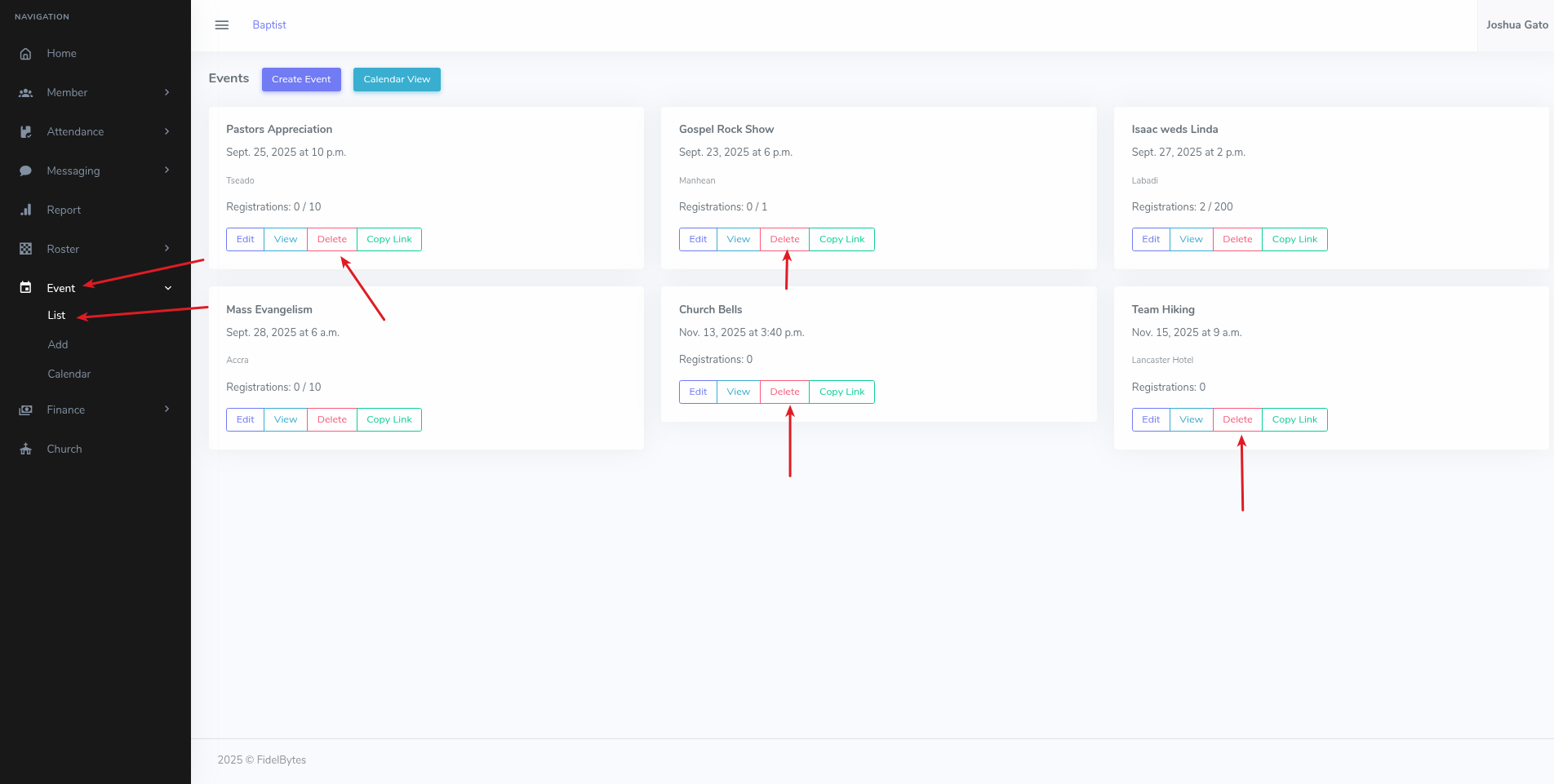
- On the dashboard Home page, click on the Event menu option on the left sidebar
- Under the dropdown that appears, click List for the list to appear
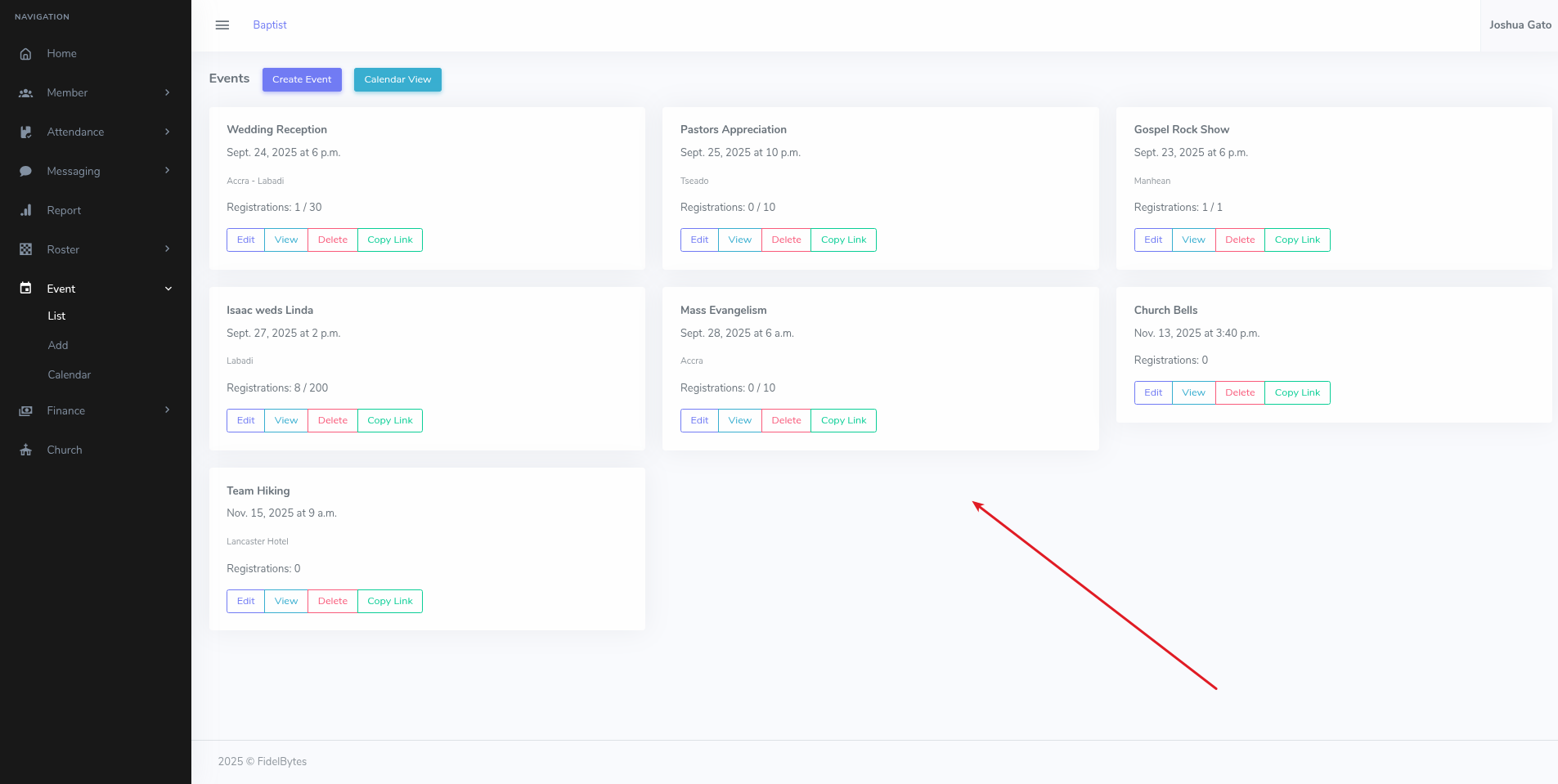
- The following are the list of events available
View Event Details
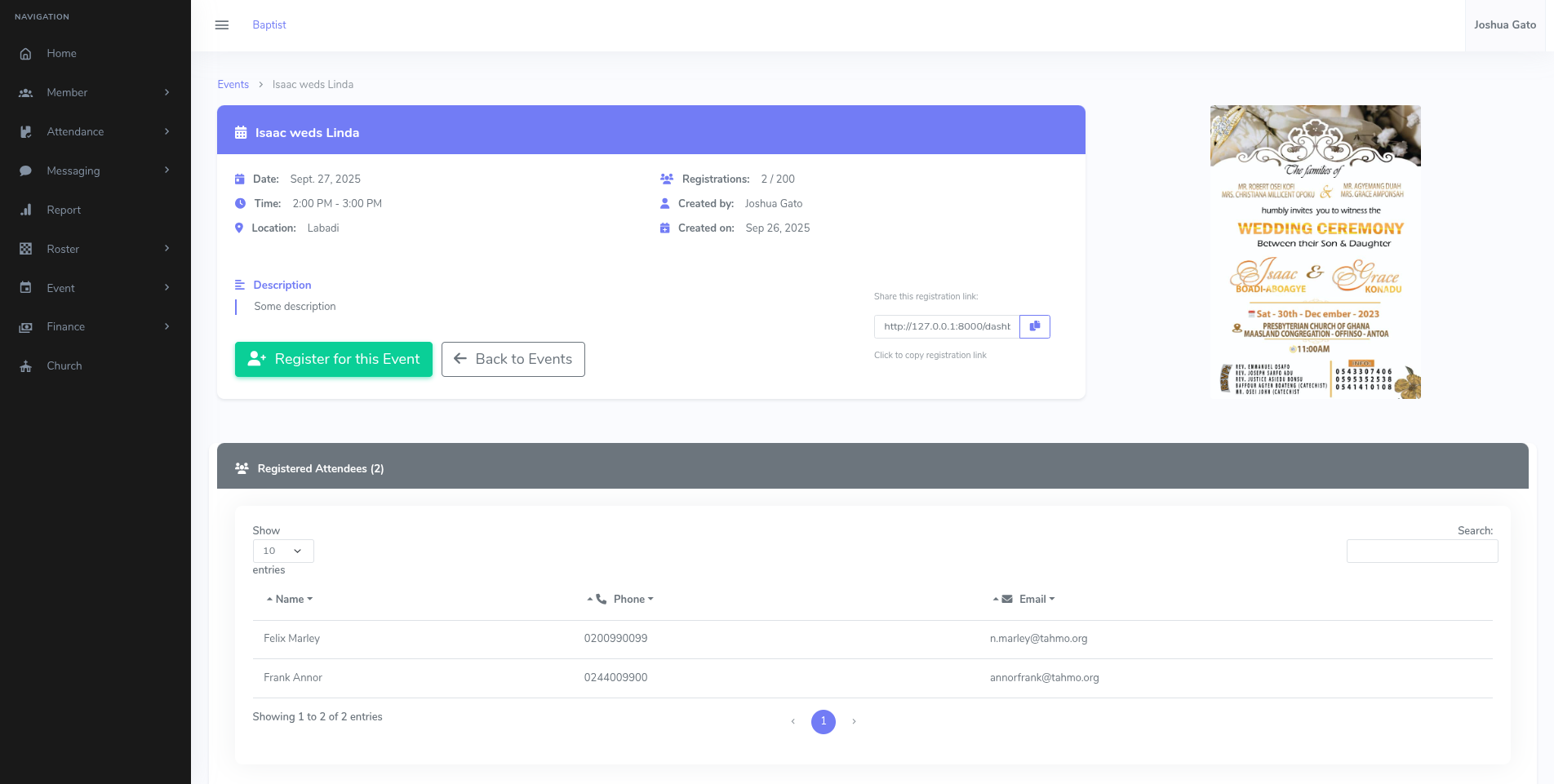
- On the list page, click the View button for the event whose details you want to see
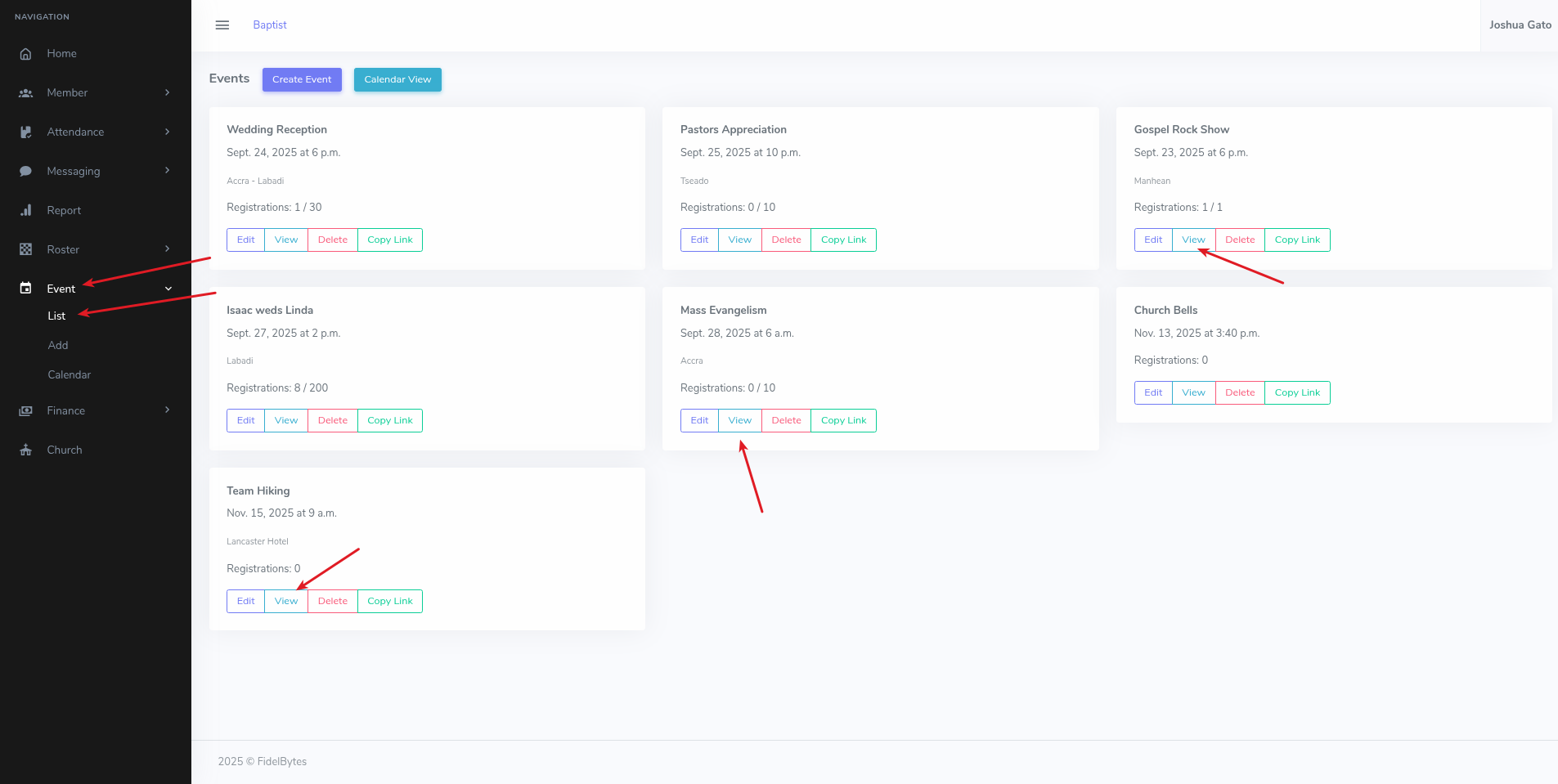
- That should open the page containing details for the event in question
Edit/Update Event Details
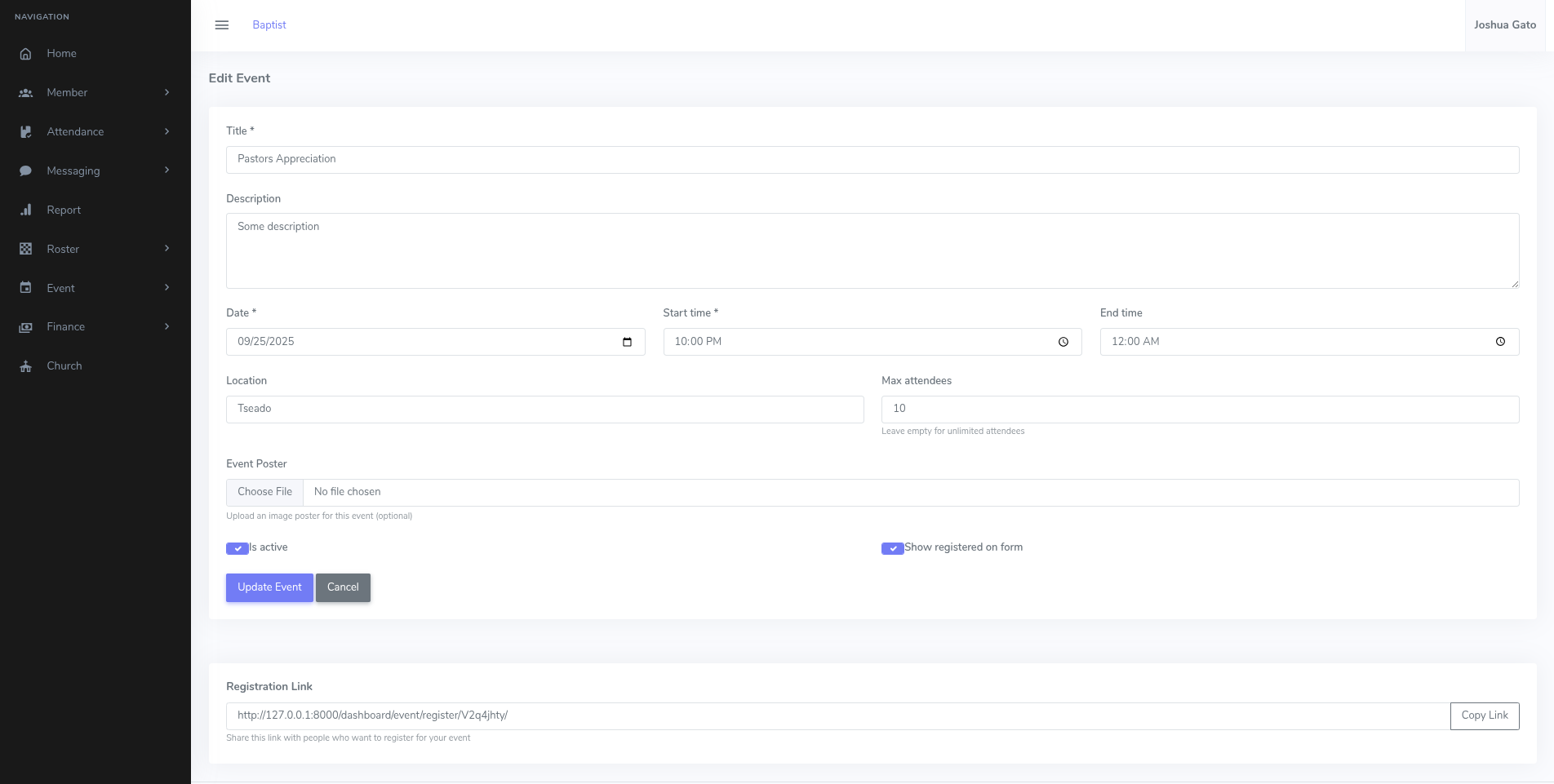
- On the list page, click the Edit button for the event whose details you want to update
- That should open the form which you can use to update the event's details
- Make the necessary changes and click the blue Update Event button
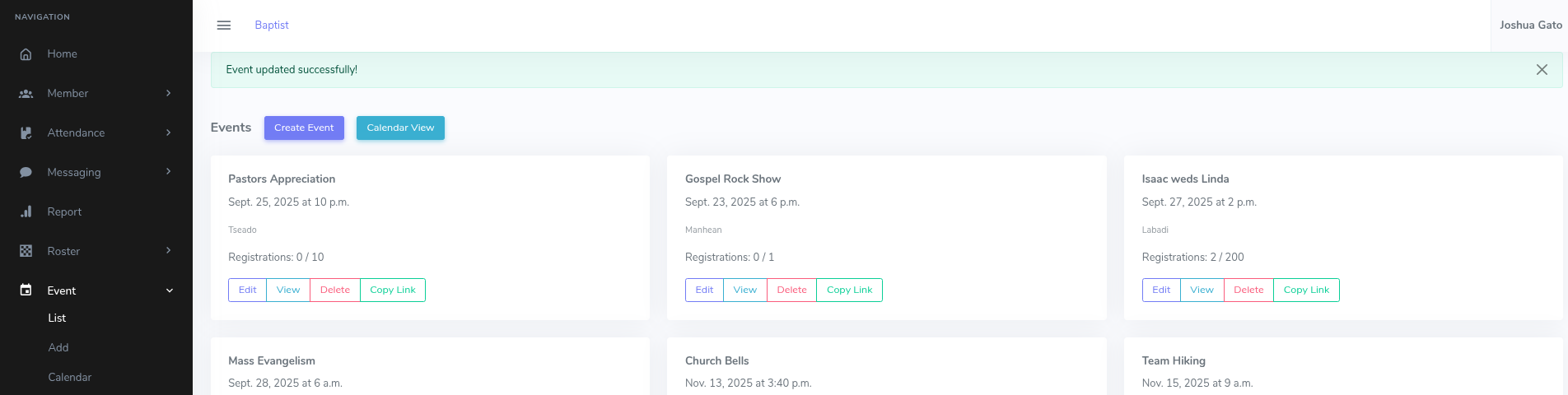
- If successful, you should see a message which reads: Event updated successfully!
Delete Event
- On the list page, click the Delete button for the event you want to delete
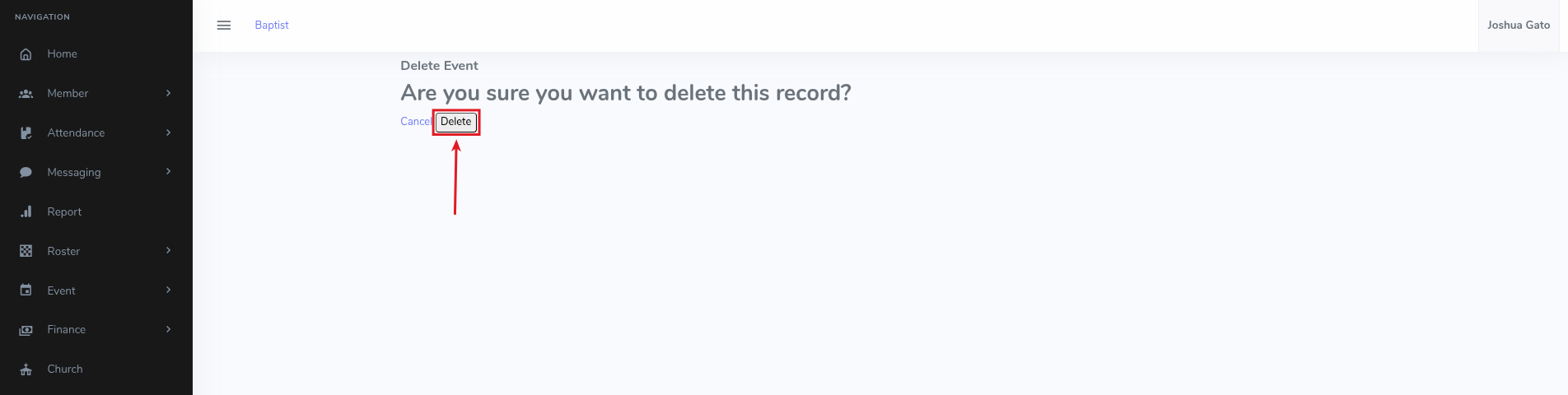
- That should open the delete confirmation page. Click on the Delete button.
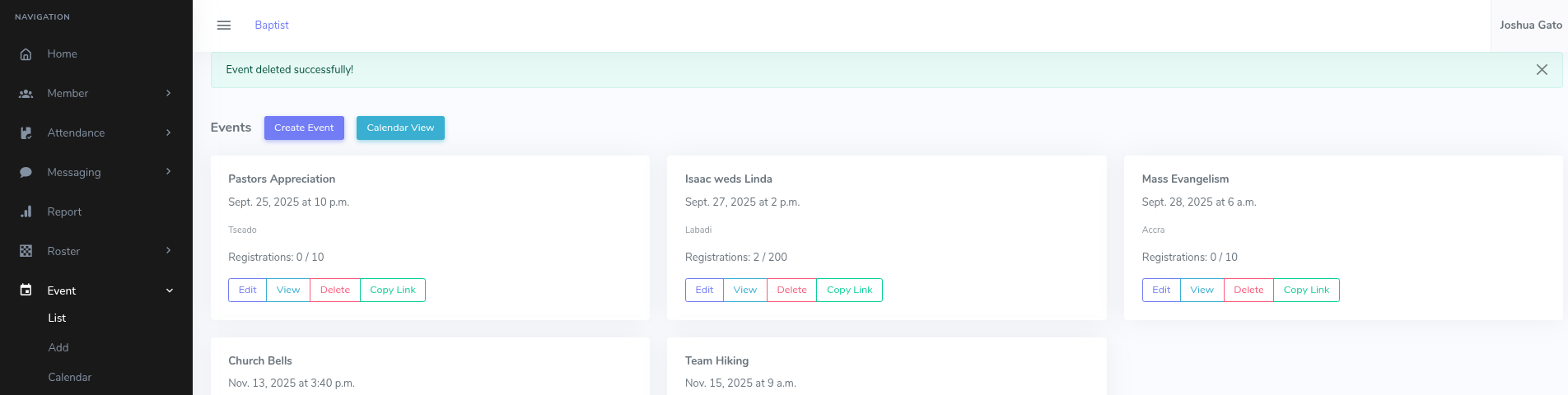
- If Successful, a success message will be displayed at the top like: Event deleted successfully!